Support our educational content for free when you purchase through links on our site. Learn more
Virtual Form Correction Technology: Can AI Fix Your Form? 🤖

Virtual form correction technology can help you notice movement patterns, but treat its feedback as a training aid—not a coach, diagnosis, or guarantee against injury. Camera-based apps, wearables, connected equipment, and remote trainers all work differently, so the best choice depends on what you need and how much human guidance you want.
Imagine your phone announces, “Squat lower,” just as you feel your hips start to pinch. Should you obey the app? No—your comfort matters more than a software prompt. That’s the key to using virtual workout feedback well: understand what the technology can see, check what it might miss, and keep your judgment in the loop.
Key Takeaways
- Virtual form correction tools provide feedback, not certainty. Camera angles, lighting, hidden joints, and exercise variations can affect tracking.
- AI feedback can be useful for practice, rep tracking, and visual reminders, but it does not replace an experienced coach or healthcare professional.
- Start with a manageable load and a clear camera view. Test the system before relying on its cues.
- Stop or modify an exercise if it causes pain or feels unstable. Don’t force a movement to satisfy an app.
- Check privacy policies and video controls before giving an app or device camera access.
Table of Contents
- ⚡️ Quick Tips and Facts
- 🤖 What Is Virtual Form Correction Technology?
- How AI Exercise Form Correction Works
- Computer Vision, Pose Estimation, and Motion Tracking
- 📜 From Video Coaching to Real-Time AI Fitness Feedback
- 🧰 Types of Virtual Form Correction Tools
- Smartphone Fitness Apps
- Wearable Sensors and Smart Clothing
- Smart Mirrors and Connected Fitness Equipment
- Live Online Coaching and Video Analysis
- 🏋️ Exercises Virtual Form Correction Can Help With
- Strength Training and Weightlifting
- Bodyweight Exercises, Yoga, and Pilates
- Running, Mobility, and Rehabilitation
- ✅ Benefits of AI-Powered Exercise Form Feedback
- ⚠️ Limitations, Accuracy, and Safety Concerns
- When Camera-Based Form Analysis Can Be Inaccurate
- Privacy, Data Security, and Camera Permissions
- Why Virtual Feedback Does Not Replace a Qualified Coach
- 🔍 How to Choose a Virtual Form Correction App or Device
- Features to Compare
- Questions to Ask Before You Sign Up
- 📱 Popular Virtual Form Correction Platforms and Brands
- 🎥 How to Set Up Your Camera for Better Form Feedback
- Camera Angle, Lighting, and Exercise Space
- Clothing and Equipment for Clear Motion Tracking
- 🧠 How to Use AI Form Feedback in a Smart Training Plan
- How to Respond to Corrections Without Overthinking
- Tracking Progress and Building Better Movement Habits
- 👥 Who Benefits Most from Virtual Form Correction?
- 💡 Common Mistakes to Avoid
- 🔮 The Future of Virtual Fitness Coaching Technology
- Conclusion
- Recommended Links
- FAQ
- Reference Links
⚡️ Quick Tips and Facts
- Virtual form correction technology uses cameras, motion sensors, or a live coach to assess exercise technique and provide feedback. It can support your practice, but it cannot guarantee injury prevention or replace an in-person clinical assessment.
- For camera-based feedback, place your phone or tablet far enough away to show your whole body and the relevant movement. Follow the app’s setup guidance; camera distance and viewing angle vary by system and exercise.
- Start with bodyweight or light-load practice while you learn what the feedback means. Don’t add weight just because an app gives you a “good rep.”
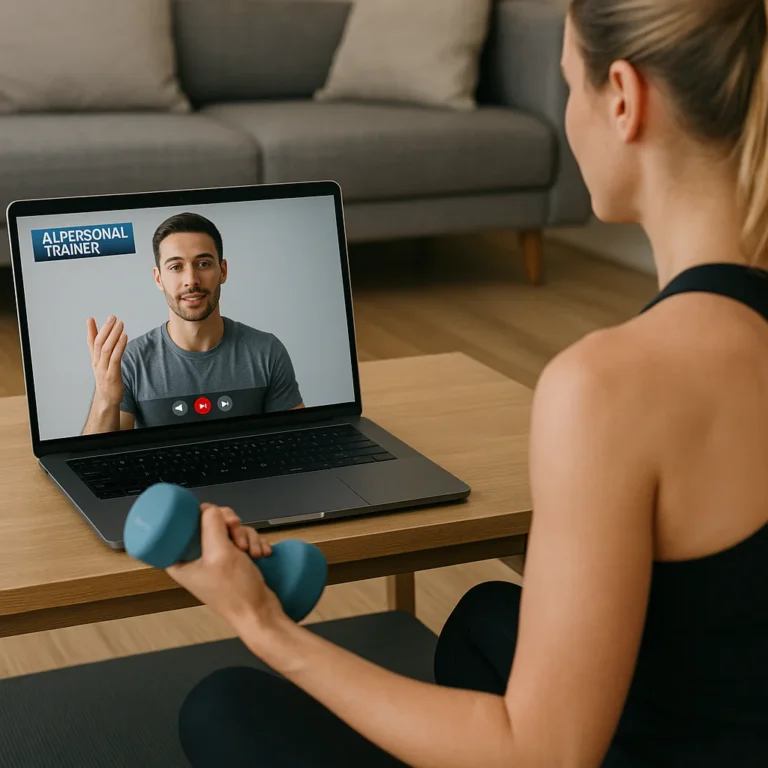
- A virtual coach can add context that automated feedback may miss. If you’re looking for individualized guidance, our remote personal trainer service connects training with human coaching.
- Camera feedback depends on visibility. Poor lighting, loose clothing, oclusion, camera angle, and equipment blocking your joints can all make tracking less reliable.
- Pain, dizziness, unusual shortness of breath, or sudden loss of strength are stop signals, not prompts to adjust your camera. Seek appropriate medical advice when symptoms warrant it.
- The FTC advises consumers to be cautious about health claims that promise more than evidence supports. Treat “perfect form” or “injury-proof workout” claims skeptically, and check the app’s privacy practices before granting camera access. FTC: Health Products Compliance Guidance
| At a glance | What to know |
|---|---|
| Main purpose | Give technique cues, track movement, or help a coach review exercise |
| Common inputs | Smartphone or webcam video, wearable sensors, or live video calls |
| Typical feedback | Visual overlays, rep counts, audio cues, movement summaries, or coach comments |
| Best use | A supplemental training aid, especially for repeatable movements with a clear camera view |
| Main limitation | A system may estimate visible movement without understanding pain, intent, anatomy, fatigue, or medical history |
| Safety baseline | Use an appropriate load, stable setup, and comfortable range of motion; stop if symptoms feel concerning |
🤖 What Is Virtual Form Correction Technology?
Virtual form correction technology describes digital tools that help you assess or improve how you move during exercise. Some use a camera and computer vision to estimate body position. Others use wearable sensors, smart equipment, or a human trainer watching a live or recorded video.
The phrase is broad, not one standardized product category. A camera-based app that counts squats, a connected strength machine that tracks movement, and a trainer who reviews your deadlift video all offer different kinds of virtual exercise form feedback.
That distinction matters. A rep counter may detect that you moved through a pattern; it may not know whether that pattern suits your body, your goals, or your current symptoms.
How AI Exercise Form Correction Works
A camera-based system usually processes a video feed through several stages:
- Capture: Your phone, tablet, or webcam records movement.
- Detection: Software identifies a person and estimates key body landmarks, such as shoulders, hips, knees, and ankles.
- Movement analysis: The system tracks how those landmarks change over time and compares the motion with programmed rules or a trained model.
- Feedback: The app may offer a cue, show an overlay, count a rep, or summarize the session.
- Adjustment: You respond to the cue, repeat the movement, or ask a coach for clarification.
Some systems provide feedback while you move; others analyze a recording afterward. “AI-powered” does not automatically mean “clinically validated,” and a movement score is not a diagnosis. The FDA explains how it regulates software functions intended for medical purposes; many general fitness tools are designed for exercise guidance rather than medical assessment.
Computer Vision, Pose Estimation, and Motion Tracking
Pose estimation is a computer-vision method for locating body landmarks in an image or video. A system may represent you as a set of points connected by lines, then estimate joint positions and movement patterns. Google’s MediaPipe Pose documentation describes detecting body landmarks from images and video.
That visual skeleton is useful, but it is still an estimate. Clothing, shadows, camera position, body overlap, and objects such as a barbell can obscure landmarks. And a camera generally sees only what is visible in its frame. It cannot directly measure effort, joint pain, internal tissue stress, or whether you feel stable.
Trainer’s takeaway: Use software cues as information to consider, not commands to obey. A cue that helps one person may not suit another person’s proportions, mobility, training history, or exercise variation.
📜 From Video Coaching to Real-Time AI Fitness Feedback
Virtual form feedback began with a simple idea: let a coach see your movement when you cannot train together in person. Recorded video review and live video sessions still do this well, particularly when a trainer can ask questions and adapt coaching to your goals.
Newer tools add automatic rep counting, movement tracking, and immediate prompts. Their capabilities differ widely, so it helps to separate virtual coaching from automated movement analysis:
| Approach | How it works | What it can do well | What it may miss |
|---|---|---|---|
| Recorded video review | You send a clip to a coach or platform | Allows repeated viewing and detailed human feedback | Feedback may not arrive during the set |
| Live video coaching | A coach observes through a video call | Allows questions, coaching context, and on-the-spot adjustments | Camera view and connection quality affect observation |
| Camera-based AI | Software estimates landmarks and movement from video | Can provide immediate cues or rep tracking | May misread hidden joints or movement context |
| Wearable sensors | Devices measure selected movement or body signals | Can track variables that a camera may not capture | Sensor placement and interpretation matter |
| Connected equipment | Equipment records exercise-specific data | Can provide repeatable tracking within that system | Data may not transfer neatly to other exercises or devices |
The Pennsylvania Department of Corrections offers an example of virtual reality used for a different purpose: its reported VR pilot uses immersive scenarios to support parenting programs, not exercise-form correction. The department describes role-playing with virtual avatars to help participants practise communication. That is an example of virtual technology supporting skills practice, not evidence that VR itself measures workout technique. Pennsylvania DOC: VR parenting-program pilot
Likewise, USCIS account-support tools and Arkansas DOC online services are unrelated to fitness form analysis. They provide government-service information, not exercise products or movement-feedback systems. USCIS online account support | Arkansas Division of Correction online services
🧰 Types of Virtual Form Correction Tools
There is no single “best” setup. The right tool depends on whether you need reminders, a human eye, movement tracking, or a combination.
Smartphone Fitness Apps
Apps can use your phone camera for movement tracking, guided workouts, or video recording. Some offer live cues; others help you save clips for later review.
Useful for: home workouts, bodyweight movements, learning basic exercise patterns, or documenting progress.
Check before relying one:
- Does it explain camera placement for each exercise?
- Does it tell you what its feedback can and cannot assess?
- Can you turn off recording or delete stored videos?
- Are corrections understandable and specific?
- Does it let you pause or modify an exercise?
Browse our fitness app reviews for more app-focused guidance.
Wearable Sensors and Smart Clothing
Wearables may use accelerometers, gyroscopes, or other sensors to estimate movement or activity. Depending on the device, data may include motion, repetitions, or exercise-specific metrics. A wearable does not automatically know whether a movement is safe or appropriate for you; its readings depend on sensor placement and the system’s interpretation.
Potential advantage: sensors can provide information when a camera view is limited.
Potential drawback: a device can track a metric accurately yet still offer incomplete coaching. Treat the number as one part of the picture, not the whole workout.
Smart Mirrors and Connected Fitness Equipment
Connected equipment may combine a screen, camera, workout library, and sometimes live instruction or performance tracking. For example, Tonal offers connected strength training, while Tempo has offered camera-based strength-training experiences. Features and availability can change, so verify the current product details directly with each brand.
These systems can make workouts convenient and organized. Their feedback may be most useful within the movements and equipment the system supports. Before buying, confirm:
- Which exercises are actually tracked
- Whether feedback is live, post-workout, or both
- What equipment and floor space are required
- Whether the camera or video feature can be disabled
- Whether coaching access is included or separate
Live Online Coaching and Video Analysis
A qualified coach can combine video observation with questions about your training background, comfort, goals, and equipment. A human coach may also notice that you look uncertain, are rushing, or are compensating because a movement feels uncomfortable—details an automated score may not interpret correctly.
Remote coaching is especially useful when you need individualized programming, exercise substitutions, or a conversation about how a cue feels. It still has limits: the coach’s view may be incomplete, and remote observation is not a substitute for medical evaluation when symptoms or injury concerns require one.
🏋️ Exercises Virtual Form Correction Can Help With
Camera feedback tends to be easier to interpret when the movement is visible, repeatable, and performed in a clear space. It is less dependable when the camera cannot see the relevant joints, the exercise involves fast changes of direction, or equipment hides the body.
| Exercise or activity | What a tool may track | Practical caution |
|---|---|---|
| Squat variations | Approximate body position, depth, or repetitions | A visual depth cue is not a universal prescription |
| Push-ups | Body alignment, range of motion, repetition count | Camera placement changes which parts of the movement are visible |
| Lunges | Limb position and repetition patterns | Balance, step length, and comfort need individual judgment |
| Yoga or mobility drills | Pose shape or time in position | Do not force a pose to match an avatar |
| Dumbell exercises | Repetitions and visible joint movement | Weights may obscure the hands or joints |
| Running | Video-based gait observations or wearable data | A short clip is not a comprehensive gait or injury assessment |
Strength Training and Weightlifting
For strength exercises, start with a load you can control. A camera may help you review a squat, hinge, or press, but it cannot reliably judge every factor that matters—such as bracing, fatigue, pain, or whether the load is appropriate.
Try a simple process:
- Choose a manageable load or bodyweight variation.
- Put the camera where it can see the movement you want to review.
- Perform a few controlled repetitions.
- Review the cue or recording between sets.
- Make one small adjustment at a time.
- Stop if the movement causes pain or feels unstable.
Avoid chasing a numeric score at the expense of comfort or control. A “deper squat” is not automatically a better squat for every person.
Bodyweight Exercises, Yoga, and Pilates
Bodyweight movements often work well with basic video feedback because you can practise without heavy equipment. For yoga and Pilates, however, a model pose should be a reference—not a demand. People differ in mobility, limb proportions, training history, and comfort.
Use a smaller range of motion if that feels more controlled. If a system says to push farther into a stretch, you are allowed to disagree. Sharp pain, numbness, or a feeling of pinching deserves attention, not a more ambitious pose.
Running, Mobility, and Rehabilitation
Video can help you review an activity, but running and rehabilitation involve more than matching a visual template. Running form changes with pace, terrain, fatigue, footwear, and individual needs. Rehabilitation programs should be guided by an appropriate healthcare professional, particularly after surgery or a significant injury.
The American College of Sports Medicine offers general physical-activity guidance, but personalized rehabilitation decisions belong with your qualified care team. Use consumer apps to support an agreed plan, not to replace it.
✅ Benefits of AI-Powered Exercise Form Feedback
When expectations are realistic, virtual form correction can make practice more convenient and engaging.
- Immediate reminders: A cue may help you notice a movement pattern while you are practising.
- Rep tracking: Automated counting can reduce mental bookkeeping, although counts should be checked if the system loses sight of you.
- Consistent practice: Guided sessions may help you establish a routine. For motivation ideas, see our fitness motivation resources.
- Video review: Recordings can make it easier to compare movement over time, provided you record under similar conditions.
- Remote access: You can work with a trainer without being in the same room.
- A visual learning aid: An overlay or avatar may help some people understand a cue more clearly than words alone.
A useful perspective: the technology is not the workout’s coach, judge, and jury. It is a feedback aid. You remain responsible for making a sensible choice when a cue conflicts with your comfort or the advice of your care team.
⚠️ Limitations, Accuracy, and Safety Concerns
A motion-tracking system can be helpful and still be wrong. Accuracy depends on the particular tool, movement, camera view, lighting, and how the software was tested. There is no single accuracy figure that applies to every app or exercise.
When Camera-Based Form Analysis Can Be Inaccurate
Tracking may be less reliable when:
- Part of your body leaves the frame.
- A limb is hidden behind your torso, equipment, or another person.
- The camera is too high, low, close, or angled for the exercise.
- Lighting is dim or creates strong shadows.
- Clothing obscures the outline of your joints.
- You move quickly or perform an exercise the system does not support.
- The app has limited data for your movement variation or body position.
If the tool gives a strange correction, pause and check the setup before changing your movement. If the feedback still seems off, record a short clip for a qualified trainer to review or use a simpler exercise.
Privacy, Data Security, and Camera Permissions
Video of you exercising is personal data. Before using an app or device, read its privacy policy and check:
- Whether video is processed on your device or uploaded
- Whether recordings are stored, shared, or used to improve services
- How to delete videos and account data
- Who can access coach-shared clips
- Whether camera access can be limited to workout sessions
The FTC’s consumer privacy guidance recommends reviewing privacy settings and understanding how services handle personal information. Grant only the permissions the product needs.
Why Virtual Feedback Does Not Replace a Qualified Coach
Software can identify selected patterns; a skilled trainer can ask why a pattern is happening and adapt the plan. A coach may consider your training experience, exercise goals, available equipment, confidence, and feedback about how the movement feels.
That human context is particularly important if you:
- Are new to lifting or returning after a long break
- Have an injury, chronic condition, or movement restriction
- Are unsure how to adjust an exercise
- Feel pain or repeatedly lose balance
- Need a tailored training plan rather than a generic workout
For health concerns, consult a qualified healthcare professional. For training guidance, work with a trainer whose credentials and scope of practice fit your needs.
🔍 How to Choose a Virtual Form Correction App or Device
Choose based on the feedback you genuinely need, not the most dazzling demo. A confident animated skeleton is not proof that the system understands every movement.
Features to Compare
| Feature | What to look for | Why it matters |
|---|---|---|
| Supported exercises | A clear list of movements and variations | Unsupported exercises may produce unreliable feedback |
| Feedback timing | Live cues, post-session review, or both | Determines whether you can adjust during the workout |
| Camera guidance | Exercise-specific setup instructions | Better visibility may improve tracking |
| Human support | Trainer review or coaching access | Adds context beyond automated prompts |
| Accessibility | Captions, adjustable cue volume, readable text | Makes feedback easier to use |
| Privacy controls | Clear storage, deletion, and sharing policies | Helps you make an informed choice about video |
| Progress records | Transparent, understandable metrics | Lets you track trends without mistaking a score for a diagnosis |
| Adaptability | Options to scale, pause, or substitute exercises | Supports different abilities and equipment |
Questions to Ask Before You Sign Up
- What exactly does the app measure? Look for plain-language explanations, not just “AI-powered” branding.
- How does it handle an unclear camera view? A trustworthy product should alert you when it cannot see enough.
- Can a trainer review my movement? If so, find out who provides the service and what credentials they have.
- Can I delete recordings? Check the privacy policy and account controls.
- Does it encourage safe progression? A tool should not pressure you to add load or push into pain.
- Can I use it with my equipment and space? Confirm your setup before committing.
For more consumer-focused fitness coverage, visit our fitness industry news and health and wellness tips.
📱 Popular Virtual Form Correction Platforms and Brands
Products change, and features may differ by model, app version, region, or subscription. Verify current specifications with the manufacturer before choosing. The brands below illustrate different approaches to connected or remote fitness; not every product is a dedicated AI form-correction system.
| Brand or service | General approach | What to verify |
|---|---|---|
| Tonal | Connected strength-training equipment and guided workouts | Current movement feedback, coaching options, and supported exercises |
| Tempo | Connected strength-training equipment and workout experiences | Current camera functionality, equipment requirements, and tracking features |
| Peloton | Connected fitness equipment, classes, and coaching | Whether a specific product or feature provides form analysis |
| Apple Fitness+ | Guided workouts across Apple devices | Workout compatibility and whether feedback is instructional rather than automated form correction |
| Google MediaPipe | Developer pose-estimation technology, not a consumer training app by itself | Which app uses it and how that app validates and explains its feedback |
Our recommendation: test the guidance with a low-risk movement first. If an app gives only a score without explaining what it means, that is a reason to ask more questions—not to assume the score is authoritative.
🎥 How to Set Up Your Camera for Better Form Feedback
A camera cannot assess what it cannot see. Before your first set, take a moment to check the view. In the featured video, the demonstrated “Exercise Intelligence Engine” asks users to step roughly 2–3 meters from the camera, show their full body, and reposition when the system cannot see them. It also uses a skeletal overlay, audio and text cues, rep counts, and exercise demonstrations. That is one system’s workflow, not a universal distance or proof that every correction is accurate.
Camera Angle, Lighting, and Exercise Space
Use this setup sequence:
- Read the app’s instructions. A front view may suit one movement; a side view may suit another.
- Place the device on a stable surface. Avoid balancing it where it can fall.
- Fit your full body in frame. Include the floor and enough space to perform the movement safely.
- Check the relevant joints. For a squat, make sure the hips, knees, and feet remain visible; for a push-up, choose the view the app recommends.
- Improve lighting. Face a light source where possible, and avoid a bright window directly behind you.
- Test before adding load. Move through a few easy repetitions and confirm the tracking behaves sensibly.
Do not create a trip hazard or compromise lifting setup just to achieve a “perfect” camera angle.
Clothing and Equipment for Clear Motion Tracking
Wear clothing that lets you move comfortably and allows the camera to distinguish your outline. It does not need to be tight, branded, or expensive. Move equipment out of the way only if doing so is safe, and check whether a bar, bench, or resistance band blocks the joints the app tracks.
If the software says it cannot see you, reposition the camera or your body rather than guessing what the model intended. A clear view is a practical prerequisite, not a guarantee of a correct assessment.
🧠 How to Use AI Form Feedback in a Smart Training Plan
How to Respond to Corrections Without Overthinking
A useful cue should be understandable, relevant, and comfortable to test. Try this response loop:
- Pause briefly. Don’t react to every notification mid-rep.
- Identify the specific cue. Is it about range, position, tempo, or camera visibility?
- Check how you feel. A cue should not make you force a painful or unstable position.
- Change one thing. Avoid adjusting three movement details at once.
- Retest with an easy repetition. Keep the load manageable.
- Ask for human input if uncertainty remains.
For instance, a prompt such as “squat lower” may reflect the app’s target range, not your best range today. A smaller controlled squat can be a more appropriate choice depending on your comfort and needs.
Tracking Progress and Building Better Movement Habits
Use logs and recordings to identify trends, not to grade your worth. If you want to compare sessions, keep the camera angle, exercise variation, and load similar. Note what you changed and how it felt.
Helpful records might include:
- Exercise and variation
- Load or resistance
- Number of repetitions and sets
- Whether the camera view was clear
- Which cue you tried
- Comfort, confidence, and perceived effort
A string of “good rep” badges is not the same as a well-rounded training plan. Balance technique practice with appropriate progression, recovery, and consistency. Our health and wellness tips offer additional context for building sustainable habits.
👥 Who Benefits Most from Virtual Form Correction?
Virtual feedback may be useful if you:
- Train at home and want visual reminders
- Enjoy structured, guided workouts
- Want to review recorded movement between sessions
- Need a convenient way to connect with a coach remotely
- Are comfortable interpreting technology as a supplement rather than an authority
It may be less suitable as your only source of guidance if you are managing an injury, have pain during exercise, need medical rehabilitation, or are learning complex lifts under heavy load. In those cases, a qualified coach or healthcare professional can provide more personalized oversight.
💡 Common Mistakes to Avoid
- Treating an app score as a medical assessment. Fitness metrics are not diagnoses.
- Ignoring pain to satisfy a prompt. Stop and reassess rather than forcing the range.
- Rushing to add weight. Establish control before progressing.
- Using a poor camera view. A model cannot assess hidden movement reliably.
- Assuming every exercise is supported. Check the product’s documented exercise list.
- Changing several technique details at once. Make one manageable adjustment, then reassess.
- Sharing video without checking privacy settings. Understand storage, access, and deletion options.
- Confusing virtual reality with form correction. Immersive VR can support practice and learning, but it is not automatically a movement-analysis system.
🔮 The Future of Virtual Fitness Coaching Technology
Virtual coaching is likely to combine more kinds of feedback: camera-based pose tracking, wearable data, connected equipment, and access to human trainers. The useful question will not simply be, “Can the software see my movement?” It will be, “Does it explain its limits, provide an understandable cue, protect my data, and help me make a safer training decision?”
Researchers and developers continue to refine movement-analysis tools, but consumer features should be judged by transparent evidence and real-world usefulness—not impressive demos alone. For now, the strongest approach is a balanced one: use technology to make practice more convenient, keep your own comfort and judgment in the loop, and bring in a qualified human when the situation calls for more than a rep counter.