Support our educational content for free when you purchase through links on our site. Learn more
Virtual Personal Training: How It Works & What You Need 🏋️

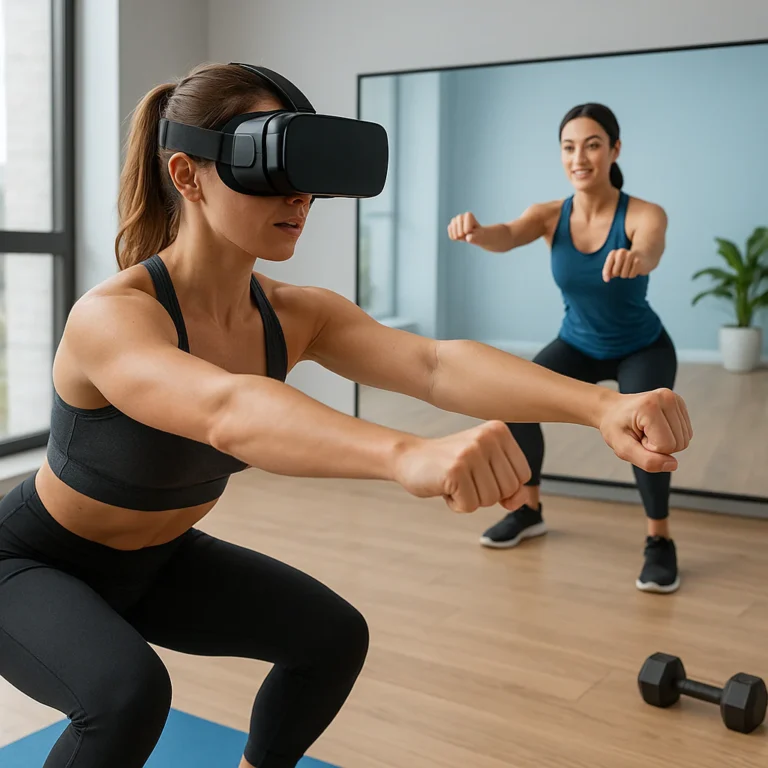
How do virtual personal training sessions work and what equipment is required? A coach guides you remotely through live video, an app, or both, and you can often begin with just a phone, a clear patch of floor, and your bodyweight. Equipment depends on your goals—not a shopping list.
One of our trainers coached a frequent traveler who thought missed gym visits meant missed workouts. By adapting the plan for small hotel rooms and reviewing short form videos, they made training fit real life. The secret wasn’t fancy gear; it was having a coach who could adjust the plan.
Key Takeaways
- Virtual training can mean live video coaching, app-based programming, or a mix of both. Ask what feedback and support are included.
- You don’t need a home gym to start. A device, stable internet, and safe workout space may be enough.
- Bands, dumbells, and other equipment are optional additions. Choose them based on your coach’s program and your goals.
- Camera setup matters: Your trainer needs a clear view to give useful form cues.
- The best format is the one you can stick with. Compare live coaching, app-based plans, and hybrid options before choosing.
Table of Contents
- ⚡️ Quick Tips and Facts: Virtual Personal Training at a Glance
- 🏋️ What Virtual Personal Training Is—and How Online Coaching Works
- Live one-to-one sessions vs. app-based and hybrid coaching
- A brief history of remote personal training
- 🔄 What Happens Before, During, and After a Virtual Training Session
- Your consultation, goals, and movement assessment
- What a typical live workout looks like
- Progress tracking, feedback, and between-session support
- 💪 Why Online Personal Training Can Work Better Than You’d Expect
- Accountability, convenience, and personalized programming
- When in-person coaching may be a better fit
- 🎯 Who Virtual Personal Training Is Right For—and Who It Isn’t
- Beginners, busy schedules, home workouts, and training after 40
- When you may need in-person or medical support
- 🧰 What You Need to Start: Space, Tech, and Workout Equipment
- Internet, device, camera, and video-call setup
- How much workout space you need
- Essential home gym equipment for virtual training
- Optional equipment: dumbells, kettlebells, bands, and more
- No-equipment and bodyweight workout options
- What to use if you have limited space or a tight budget
- 📹 How to Set Up Your Camera So Your Coach Can Check Your Form
- Camera angle, lighting, sound, and workout clothing
- How coaches cue technique and adapt exercises remotely
- 🗓️ How a Virtual Coaching Program Works from Week One
- Choosing a trainer and agreeing on goals
- Scheduling sessions and building a realistic weekly plan
- F.I.T. PIT virtual coaching: what the process can include
- What to expect from check-ins and workout adjustments
- 📈 Results, Safety, and Staying Consistent with Online Training
- Is virtual personal training as effective as in-person training?
- How trainers personalize workouts for fitness level and limitations
- Training safely at home and avoiding common mistakes
- What to do when you miss workouts or lose momentum
- 💳 Virtual Personal Training Costs, Packages, and What Affects Pricing
- Live coaching, workout plans, and hybrid service differences
- Questions to ask before signing up
- 🤝 How to Choose the Right Online Personal Trainer
- Credentials, experience, and coaching style
- Communication, privacy, accessibility, and cancellation policies
- ❓ Frequently Asked Questions About Virtual Personal Training
- Will a virtual trainer actually check my form?
- Is online personal training effective for women over 40?
- Can I train at home without buying equipment?
- How many virtual training sessions should I do each week?
- What if I miss workouts or fall off my plan?
- Do I need a gym membership for virtual personal training?
- Can virtual training help me get back in shape after years away?
- 🚀 Want a Real Coach Without the Commute?
- Conclusion
- Recommended Links
- FAQ
- Reference Links
⚡️ Quick Tips and Facts: Virtual Personal Training at a Glance
Virtual personal training is coaching delivered through live video, an app, recorded form checks, or a mix of those options. The details vary, but a good coach does more than press “play” on a workout: they help you choose exercises, adjust the plan, and keep your training moving forward.
If you’re comparing options, start with our guide to the best virtual personal trainer. Here’s the quick equipment-and-expectations rundown:
| What you’re wondering | The practical answer |
|---|---|
| Do I need a home gym? | No. Bodyweight training can work, and a few basics can expand your options. |
| What tech do I need? | A phone, tablet, or computer; a stable connection; and a camera angle your trainer can see. |
| How much room do I need? | Enough to move safely and fit your full body in the camera frame. |
| What does a virtual session include? | Depending on the service: a live workout, an app-based plan, exercise feedback, check-ins, or a combination. |
| Can a trainer check my form? | Yes, if the camera view or uploaded video clearly shows the movement. |
| Is remote coaching right for everyone? | It’s flexible, but you still need a workable setup and some way to stay accountable. |
Our trainer take: Start with what you own. Don’t buy a bench, rack, and adjustable dumbells before you know whether your plan will use them. The best first purchase may be nothing at all. 🏠
The American College of Sports Medicine recommends strength training the major muscle groups at least twice a week for adults. That’s a useful general target, not a personalized prescription: your starting point, health history, and recovery matter.
🏋️ What Virtual Personal Training Is—and How Online Coaching Works
Virtual personal training means working with a coach remotely rather than sharing the same gym floor. Your coach may meet you live over video, send an individualized program through an app, review exercise videos after you train, or combine those methods.
That distinction matters. A prerecorded workout can be useful, but it doesn’t necessarily adapt to your knee discomfort, travel schedule, available dumbells, or unusually stubborn push-up. Personal training should involve individualized guidance and some feedback loop.
Live one-to-one sessions vs. app-based and hybrid coaching
| Format | How it works | Best suited to | Main trade-off |
|---|---|---|---|
| Live video coaching | You and your trainer exercise together in real time, usually over Zoom, FaceTime, or another video platform. | People who want immediate cues, a fixed appointment, or live encouragement. | You need to be available at a scheduled time and have a reliable connection. |
| App-based coaching | Your trainer assigns workouts in an app, reviews logs or videos, and communicates asynchronously. | People with shifting schedules who can train independently. | Feedback may not arrive in the moment; you need to record and log consistently. |
| Hybrid coaching | Independent workouts and app-based feedback plus periodic live sessions or check-ins. | People who want flexibility with some face-to-face accountability. | The amount of live contact varies by coach and package. |
In live coaching, your trainer can cue a squat while you’re doing it. In asynchronous coaching, they may review a clip later and suggest a change for your next set. Neither format is automatically better; the right fit depends on whether you need real-time support, schedule freedom, or both.
The F.I.T. PIT virtual personal training guide describes the central idea neatly: “The screen is just the delivery. The coaching is the same.” That’s a useful principle, provided the service really includes individualized programming and coach feedback.
A brief history of remote personal training
Remote fitness coaching started long before video calls became routine. Trainers have prescribed workouts by phone, email, and training logs for years; video meetings and coaching apps made it easier to demonstrate movements, exchange clips, and update plans.
Today, digital coaching ranges from a live one-to-one workout to an app with workout logging and form-review messages. For a broader look at changes in digital fitness, explore our Fitness Industry News coverage.
The label “virtual personal training” alone doesn’t tell you how much coaching you’ll receive. Ask whether sessions are live, how often your coach reviews your progress, and how quickly you can expect a reply. Those answers reveal more than a slick app screenshot ever will.
🔄 What Happens Before, During, and After a Virtual Training Session
A well-run program usually starts with a conversation, not burpees. Your coach needs to understand what you want, what you can do safely, and what equipment and time you actually have.
Your consultation, goals, and movement assessment
During onboarding, a trainer may ask about:
- Your goals, such as building strength, improving fitness, or returning to exercise.
- Your current activity and previous training experience.
- Injuries, pain, medical considerations, and movements you’ve been advised to avoid.
- Your schedule, preferred workout length, travel, and likely obstacles.
- Your available space and equipment.
- What kind of coaching helps you follow through.
Your trainer may also ask you to demonstrate basic movements or record a short baseline video. This is not a medical diagnosis. If you have persistent pain, a recent injury, or a health condition that affects exercise, talk with a qualified healthcare professional before starting or changing your training. The National Institute on Aging offers practical guidance on getting started safely.
What a typical live workout looks like
A live session commonly follows this sequence:
- Check in. You share how you’re feeling and flag soreness, pain, fatigue, or schedule changes.
- Warm up. Your trainer guides a few movements to prepare for the session.
- Train. You work through exercises, sets, repetitions, and rest periods selected for your goals and equipment.
- Get coaching cues. The trainer may adjust your setup, range of motion, pace, or load based on what they can see.
- Wrap up. You review how the workout felt and discuss any next steps.
The exact format depends on the coach and service. For instance, Sweat Equity Fitness describes live one-to-one sessions where the trainer watches form, counts repetitions, and adjusts the workout in real time. An app-based coach may instead assign workouts for you to complete on your own, then review your logs and videos afterward. Those are different services under the same broad label, so confirm which one you’re considering.
Progress tracking, feedback, and between-session support
In app-based or hybrid coaching, you may log exercises, weights, repetitions, effort, and notes. Your coach can use that information to adjust your program, such as changing an exercise, adding a repetition, or modifying the load.
The F.I.T. PIT guide summarizes the accountability side with a blunt line: “The coach can only adjust what they can see. No data, no coaching.” It’s a useful reminder that workout logs and form clips are part of the service—not busywork to be ignored forever.
Ask a potential coach:
- What should I log after each workout?
- How do I send form-check videos?
- How often do you review my progress?
- How will I know when a program changes?
- What’s the best way to contact you between sessions?
A coach who can explain the feedback process clearly is easier to evaluate than one who promises “personalized support” without saying what that means.
💪 Why Online Personal Training Can Work Better Than You’d Expect
Remote coaching can remove common friction points: commuting, finding childcare, training around travel, or trying to squeeze a gym visit into an already packed day. It can also help you learn to use the equipment you actually have, rather than the perfect equipment you imagine buying someday.
The Centers for Disease Control and Prevention notes that adults can accumulate physical activity in manageable amounts. Your exact plan should suit your capacity and health, but it doesn’t have to happen in a commercial gym to count.
Accountability, convenience, and personalized programming
The main benefits depend on the coaching format, but can include:
- A plan built for you: A trainer can account for your goals, training experience, schedule, and available equipment.
- More flexibility: With asynchronous coaching, you may train at the time that works for you, then send your log or video for review.
- A real human feedback loop: Live cues or coach-reviewed videos can help you refine technique and make sensible progressions.
- Training continuity: A coach may help adapt your workouts around travel or a busy week, instead of treating a missed gym visit as the end of the plan.
- Less equipment pressure: A coach can design around bodyweight, resistance bands, dumbells, or gym access.
The Built for Life coaching guide describes virtual coaching as “coaching that follows your life, not the other way around.” That works best when the coach knows about your real-life constraints early—yes, even the recurring Tuesday meeting that eats your workout window every week.
One of our trainers once helped a client who travelled frequently switch from a fixed gym-based plan to short hotel-room sessions. The key wasn’t a magical travel workout; it was agreeing on substitutions ahead of time. A plan only helps if it survives contact with your calendar. ✈️
When in-person coaching may be a better fit
Virtual coaching has limits. You may prefer in-person support if you:
- Need direct, hands-on guidance to learn an unfamiliar movement.
- Feel more motivated when a coach is physically present.
- Plan to lift very heavy and want access to appropriate equipment and supervision.
- Don’t have a safe space or reliable way to connect.
- Find screen-based communication uncomfortable or difficult to follow.
A screen can show a trainer your movement, but it can’t provide a spoter or physically guide your position. If you’re new to exercise, you can still begin virtually, but tell the coach you’re a beginner and ask how they teach movements safely. For certain people and exercises, a few in-person sessions may be a sensible starting point.
The first YouTube video embedded above, “Virtual Personal Training | Everything You Need To Know” by Sorta Healthy Trainer Education, can also help you understand the basics of remote coaching and what the experience may involve.
🎯 Who Virtual Personal Training Is Right For—and Who It Isn’t
Virtual training can fit a wide range of people, but it isn’t a shortcut around communication, practice, or consistency. The best match is someone whose preferred coaching format works with their habits—not just someone who likes the idea of working out at home.
Beginners, busy schedules, home workouts, and training after 40
Remote coaching may suit you if you:
- Need workouts adapted to a home setup or unpredictable schedule.
- Travel often and want a plan that can follow you.
- Prefer training privately rather than in a busy gym.
- Already know basic movements and want programming, accountability, and progression.
- Are returning to exercise and want to start at a manageable level.
- Can use an app or video call comfortably and communicate how you feel.
For adults over 40, age alone doesn’t determine the right program. Training history, recovery, health, goals, and movement comfort all matter. A coach should adapt exercise selection and progression to the person in front of them—not hand everyone the same “over-40” routine. Our Health and Wellness Tips cover ways to make training more practical and sustainable.
When you may need in-person or medical support
Consider in-person coaching or professional medical guidance if:
- Pain is new, severe, worsening, or unexplained.
- You’re recovering from an injury or surgery and need rehabilitation guidance.
- You have a health condition that requires exercise modifications or monitoring.
- You’re unsure whether an exercise is safe for you.
- You need physical assistance, close supervision, or a spoter for a planned lift.
Personal trainers can coach exercise, but they aren’t substitutes for a physician or physical therapist. A qualified coach should recognize when a concern falls outside their scope and recommend that you speak with an appropriate healthcare professional.
🧰 What You Need to Start: Space, Tech, and Workout Equipment
You can start with a device, a clear patch of floor, and a plan. More gear creates more exercise options, but it doesn’t automatically create better coaching—or stronger habits.
Internet, device, camera, and video-call setup
For live or app-based training, prepare:
- A phone, tablet, or computer with a working camera and microphone.
- A stable internet connection for live calls or video uploads.
- A charging cable or charged battery so your workout doesn’t end at 12% power.
- The required app or video-call platform, installed and tested before your first session.
- A phone stand or stable surface, if you’ll need to film your movements.
For asynchronous coaching, test whether you can log a workout, upload a video, and message your coach. For live sessions, test your camera view, audio, and connection in the room where you’ll train.
How much workout space you need
You don’t need a full garage gym. You do need enough room to perform your planned exercises without hitting furniture, walls, pets, or the laundry basket that has been “temporarily” there for three weeks.
A practical setup should let you:
- Step or lunge in each direction required by your workout.
- Lie down for floor exercises and get up comfortably.
- Place equipment safely without creating a trip hazard.
- Fit your body and the exercise into the camera frame.
- Press overhead only if the ceiling and surroundings allow it.
Move fragile objects out of the workout area, check that the floor isn’t slippery, and avoid placing a camera where it could be knocked over.
Essential home gym equipment for virtual training
No equipment is mandatory for many introductory workouts. The right starter kit depends on your goals and what your coach programs.
| Equipment | What it adds | Consider if… |
|---|---|---|
| Resistance bands | Portable resistance for rows, presses, and lower-body exercises. | You want inexpensive, compact options or travel-friendly workouts. |
| A pair of dumbells | Resistance for many upper- and lower-body strength exercises. | Your coach plans progressive strength training and you have room to store them safely. |
| Adjustable dumbells | Multiple load options in one compact set. | You want more flexibility without storing several pairs. |
| A stable bench or sturdy chair | Support for certain presses, step-ups, and modified exercises. | Your program includes seated or supported movements. |
| Exercise mat | A more comfortable surface for floor-based work. | You regularly do core, mobility, or floor exercises. |
Our recommendation: ask your trainer what your program requires before purchasing anything. A coach should be able to explain why a piece of equipment is useful and suggest alternatives if it doesn’t fit your space or budget.
Optional equipment: dumbells, kettlebells, bands, and more
Equipment can expand your exercise menu, but every item comes with trade-offs:
- Resistance bands: Light and portable, but resistance changes as the band stretches, and they need to be checked for damage.
- Dumbells: Versatile for strength training, but fixed-weight sets take storage space.
- Adjustable dumbells: Compact and adaptable, but require careful loading and safe handling.
- Kettlebells: Useful for certain strength and conditioning movements, but technique matters, especially for dynamic exercises.
- Bench: Helpful for some exercises, but it must be stable and appropriate for its intended use.
- Pull-up bar: Can provide a pulling option, but the doorframe or mounting point must be suitable and installed correctly.
A trainer should choose tools based on your plan rather than treating a home gym shopping list as a rite of passage. If you decide to buy equipment, check manufacturer instructions, weight limits, assembly details, and user feedback before you order.
No-equipment and bodyweight workout options
Bodyweight exercises can include squats, step-ups, push-up variations, glute bridges, and core work. A trainer can change the challenge by adjusting range of motion, tempo, leverage, repetitions, or rest—not only by adding a heavier weight.
That said, bodyweight training is not automatically easy, and it isn’t ideal for every goal. Some exercises may need a band or other equipment to provide an appropriate challenge. Tell your coach what you can do comfortably; don’t force a movement just because it needs no equipment.
What to use if you have limited space or a tight budget
A minimal setup can still support useful training:
- Clear enough floor space to move safely.
- Use bodyweight options that match your ability.
- Ask your trainer for resistance-band or household-equipment alternatives where appropriate.
- Add equipment only when your program needs it and you’re comfortable using it.
- Reassess after a few weeks rather than buying everything on day one.
Household objects aren’t automatically safe weights. Avoid using unstable chairs, breakable containers, or anything with an uncertain grip. When in doubt, ask your trainer for a safer substitution.
Equipment and setup at a glance
| Setup | Useful for | Watch-outs |
|---|---|---|
| Bodyweight only | Getting started, travel workouts, and exercises that use your own body as resistance. | Some strength goals may eventually require added resistance or more challenging variations. |
| Bands + mat | Portable workouts with more resistance options and a comfortable floor surface. | Anchor bands only to a secure point and inspect them for wear. |
| Dumbells + stable bench or chair | A broad range of home strength exercises. | You need appropriate weights, storage, and room to use them safely. |
| Gym access | More equipment choices and heavier loading options. | Travel and access can make consistency harder for some people. |
Shopping links for commonly used training equipment
- Resistance bands: Amazon | Walmart
- Adjustable dumbells: Amazon | Walmart
- Exercise benches: Amazon | Walmart
- Exercise mats: Amazon | Walmart
- Pull-up bars: Amazon | Walmart
These are search links, not endorsements of a particular product. Compare fit, safety details, warranty information, and reviews from verified buyers before choosing.
📹 How to Set Up Your Camera So Your Coach Can Check Your Form
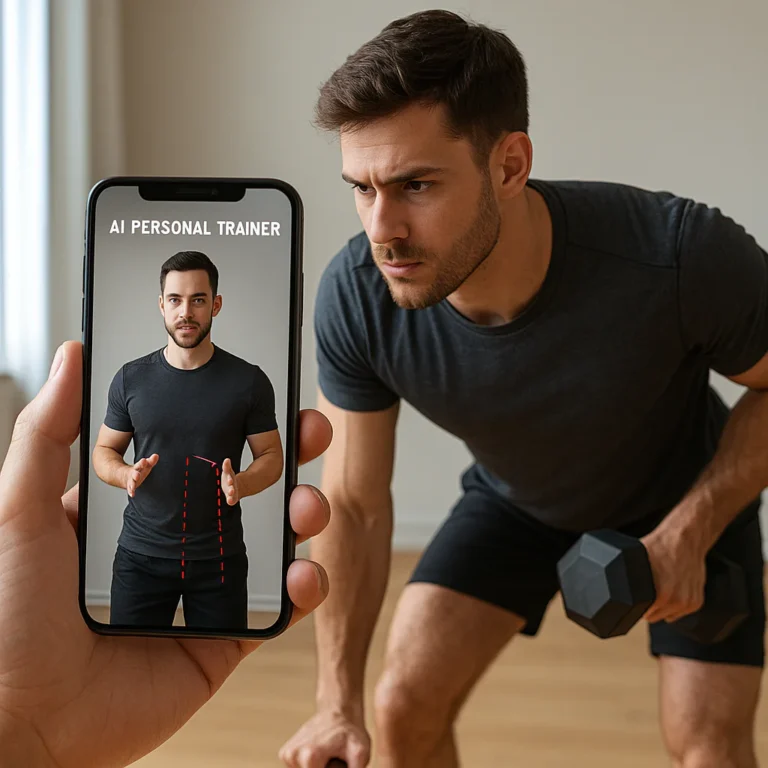
Your trainer can only coach what they can see. A camera that crops out your feet during a squat is like a cooking video that hides the oven: technically a video, but not especially helpful.
Camera angle, lighting, sound, and workout clothing
Before a live session or form-check video:
- Place the camera on a stable surface, not where it may woble or fall.
- Use enough distance to show your full body and the exercise.
- Choose angle that shows the movement clearly; your trainer may ask you to reposition it.
- Face a light source where possible, rather than standing in front of a bright window.
- Reduce background noise and check that your microphone works.
- Wear clothing that lets your coach see your movement without restricting it.
For an asynchronous video, ask which exercises your trainer wants filmed and which camera views they prefer. You do not need to record every set unless your coach specifically asks.
How coaches cue technique and adapt exercises remotely
A coach may use spoken cues, demonstrations, questions about how a movement feels, or a video review. They might ask you to change your stance, reduce the range of motion, use a lighter load, or try a different exercise.
For example, your trainer may ask for a side view to understand a hinge pattern or a front view to see how your knees track during a squat. Camera angles depend on the movement and the coach’s assessment, so treat these as examples rather than universal rules.
If you feel pain, dizziness, unusual shortness of breath, or anything that concerns you, stop and tell your coach. A video call is not a reason to push through a warning sign.
🗓️ How a Virtual Coaching Program Works from Week One
Virtual programs vary, but a thoughtful process gives you a clear plan, a way to communicate, and a method for reviewing progress.
Choosing a trainer and agreeing on goals
Before signing up, ask:
- What credentials and relevant experience do you have?
- Do you offer live sessions, app-based programming, or both?
- How are workouts customized for equipment, injuries, and experience?
- How often do you review logs and form videos?
- What support is included between sessions?
- What happens if I travel, miss a session, or need to change my schedule?
Check that the trainer’s qualifications and scope fit your needs. For general guidance, ACE Fitness explains personal trainer certification and what to look for.
Scheduling sessions and building a realistic weekly plan
Start by identifying the days and times you can reasonably protect. A coach may suggest more than one workout window so that a single calendar disruption doesn’t derail the week.
The useful question isn’t “What would the perfect training schedule look like?” It’s “Which schedule can I repeat when work, family, and ordinary life show up?” Your coach can then adjust session length and frequency to your goals and recovery.
F.I.T. PIT virtual coaching: what the process can include
The F.I.T. PIT guide gives one example of app-supported coaching: clients log workouts, submit videos for feedback, and communicate with a coach as their program progresses. It highlights progressive overload—the gradual increase of training demands—as one way a coach may build strength over time.
That model is not identical to every virtual service. Some providers focus on live calls, while others emphasize independent training and coach-reviewed videos. Ask what the specific program includes before you assume “virtual personal training” means weekly live workouts.
What to expect from check-ins and workout adjustments
Check-ins may cover your workout completion, effort, recovery, schedule, and any discomfort. A coach can use that information to modify an upcoming plan or help you troubleshoot a sticking point.
A productive adjustment is specific: change an exercise that bothers you, adapt a workout for travel, or clarify how to record a set. A generic “keep going!” message may be encouraging, but it isn’t a substitute for useful coaching when something needs to change.
📈 Results, Safety, and Staying Consistent with Online Training
Results depend on your goals, training plan, effort, recovery, and consistency. A virtual format can make coaching more convenient, but it cannot do your repetitions for you. (We checked.)
Is virtual personal training as effective as in-person training?
Virtual training can be effective when the service includes appropriate programming, feedback, and progression. Research on remote exercise and coaching includes different populations, methods, and outcomes, so it’s not accurate to claim that every online program produces the same results as in-person training.
A systematic review in the Journal of Medical Internet Research examined internet-based interventions for physical activity and found that digital approaches can support activity, while outcomes vary by program and study. That evidence supports a measured view: remote delivery can help, but program quality and participant engagement still matter.
The F.I.T. PIT guide emphasizes coach review and workout logging; Sweat Equity Fitness emphasizes live, real-time coaching. Those perspectives are not in conflict so much as they describe different formats. Live feedback can help in the moment; asynchronous review can offer flexibility. What matters is whether the coaching method gives you the support you need and whether you actually use it.
How trainers personalize workouts for fitness level and limitations
A trainer can tailor an online program by changing:
- Exercise selection and movement variations.
- Sets, repetitions, rest, pace, and session duration.
- Equipment choices and substitutions.
- Training days and workout order.
- Progression based on your experience and response.
- The amount of live guidance or video review.
Share relevant limitations and how exercises feel. Your coach can adjust training, but medical diagnosis and treatment belong with licensed healthcare professionals.
Training safely at home and avoiding common mistakes
Use these practical safeguards:
- Clear the floor and check that equipment is stable.
- Learn the movement before increasing its challenge.
- Use weights you can control without rushing.
- Keep your device and cables out of your movement path.
- Stop if you experience concerning symptoms and seek appropriate help.
- Tell your trainer when an exercise causes pain or feels unexpectedly difficult.
Common virtual-training mistakes include hiding your full body from the camera, guessing at a movement instead of asking for a demonstration, and buying equipment before your coach has built your program.
What to do when you miss workouts or lose momentum
A missed session is information, not a verdict. Tell your coach what got in the way and ask whether the week needs a shorter workout, a different time, or a more realistic plan.
One trainer on our team once had a client apologize for missing several sessions. We changed the target from “three perfect workouts” to two planned workouts plus an optional short session. The client stopped treating one disrupted day as a reason to abandon the whole week. A good program can bend without breaking.
For extra ideas on building consistency, visit our Fitness Motivation section.
💳 Virtual Personal Training Costs, Packages, and What Affects Pricing
Virtual personal training costs vary by coach and service. Live one-to-one training, app-based programming, hybrid coaching, and group sessions involve different levels of direct support, so compare what’s included rather than judging by the label alone.
Live coaching, workout plans, and hybrid service differences
Factors that can affect the service include:
- How often you meet live.
- Whether workouts are individually programmed.
- Whether the coach reviews form videos and training logs.
- The frequency of check-ins and messaging support.
- Whether nutrition guidance is included and within the coach’s professional scope.
- The coach’s qualifications, experience, and level of specialization.
Ask for clear information about session length, scheduling, missed sessions, communication, and cancellation terms. The Sweat Equity Fitness article describes its own live-training format and package structure; those details are specific to that provider and should not be treated as an industry-wide rule.
Questions to ask before signing up
Before committing, make sure you understand:
- What kind of coaching am I buying? Live, app-based, hybrid, or a workout plan?
- What feedback do I receive? Live cues, video reviews, written check-ins, or something else?
- How often will my coach communicate with me?
- Can the program work with my existing equipment?
- What happens if I need to pause, reschedule, or change the plan?
- How will we track progress?
Good questions protect both your expectations and your training time.
🤝 How to Choose the Right Online Personal Trainer
A great trainer for your friend may be the wrong trainer for you. Look for someone whose coaching approach, experience, and communication style match your needs.
Credentials, experience, and coaching style
Check whether the trainer has a recognized qualification relevant to your goals and can explain how they handle exercise modifications, progression, and safety. Ask about experience with your training level or relevant needs, but be wary of promises of guaranteed results.
A strong coach should be able to explain:
- Why a workout is structured a certain way.
- How exercises will progress over time.
- What to do if a movement feels uncomfortable.
- Which equipment is genuinely useful for your plan.
- How they’ll review your progress and adjust your program.
Communication, privacy, accessibility, and cancellation policies
The practical details matter. Find out how you’ll contact the trainer, what reply times to expect, how workout videos are stored, and who can access them. If you need captions, specific scheduling options, or an app that works with assistive technology, raise that before you begin.
Also review scheduling and cancellation policies so a missed call doesn’t become an unpleasant surprise. Clear expectations are part of good coaching.
❓ Frequently Asked Questions About Virtual Personal Training
How do virtual personal training sessions work?
A trainer coaches you remotely through live video, an app, recorded feedback, or a combination. They may assess your goals and equipment, build a program, guide workouts, review logs or videos, and adjust your plan as you progress. Ask whether sessions are live and what support is included between them.
What technology do I need for effective virtual personal training?
Usually, you’ll need a phone, tablet, or computer with a camera and microphone, plus a reliable internet connection. You may also need the trainer’s app or a video-call platform. Test your connection, camera view, and audio before the first session.
How do trainers customize workouts during virtual sessions?
A trainer may adjust exercises, repetitions, sets, rest, session length, or equipment based on your goals, experience, schedule, and feedback. Live coaches can make changes during a workout; app-based coaches can use workout logs and submitted videos to update later sessions.
Can I do virtual personal training at home without any equipment?
Yes. Many programs can begin with bodyweight movements, and a coach can adjust exercises to match your ability and goals. You may eventually benefit from bands or weights, but ask your trainer before buying equipment so the items suit your program and space.
What platforms are best for virtual personal training sessions?
There is no single best platform. Some trainers use Zoom or FaceTime for live sessions, while others use a coaching app for workout plans, logging, messaging, and video uploads. Choose a service that your trainer can support reliably and that you find easy to use.
What equipment do I need for online personal training?
The essentials are usually a device, internet access, and enough safe space to move. Exercise equipment depends on your program: some people use bodyweight only, while others benefit from resistance bands, dumbells, a bench, or gym access. Your coach should explain which items are necessary and why.
Can I do virtual personal training without gym equipment?
Yes. You can train at home using bodyweight exercises, and your coach can suggest suitable variations. For strength goals that need more resistance, bands or dumbells may provide additional options. The right choice depends on your ability and programming.
How do virtual trainers correct your form during workouts?
During a live session, the trainer watches your movement and gives verbal cues or demonstrations. With asynchronous coaching, you submit a video for review. Make sure the camera shows the movement clearly, and tell your coach if a position feels uncomfortable even when it looks correct.
How do I choose the right virtual personal trainer?
Look for relevant qualifications, clear communication, individualized programming, and a feedback process that fits your needs. Ask whether coaching is live, app-based, or hybrid; how often progress is reviewed; and how the plan adapts to your equipment and schedule.
Are virtual personal training sessions effective for beginners?
They can be, especially when the trainer explains exercises clearly, starts with appropriate progressions, and checks your technique. If you’re completely new to exercise or need hands-on instruction, ask whether a few in-person sessions or additional live coaching would be a better starting point.
How much space do I need for a virtual personal training workout?
Enough to perform the movements safely and keep your full body visible to the coach. You don’t need a dedicated gym, but you should clear the floor, remove tripping hazards, and check overhead clearance before exercises that involve reaching or pressing.